Free Clipboard History for Mac
MaClipHistory is now a minimalistic lightweight clipboard history app for macOS. It keeps copied text, images, GIFs, and small files local on your Mac, then opens instantly with a keyboard shortcut.
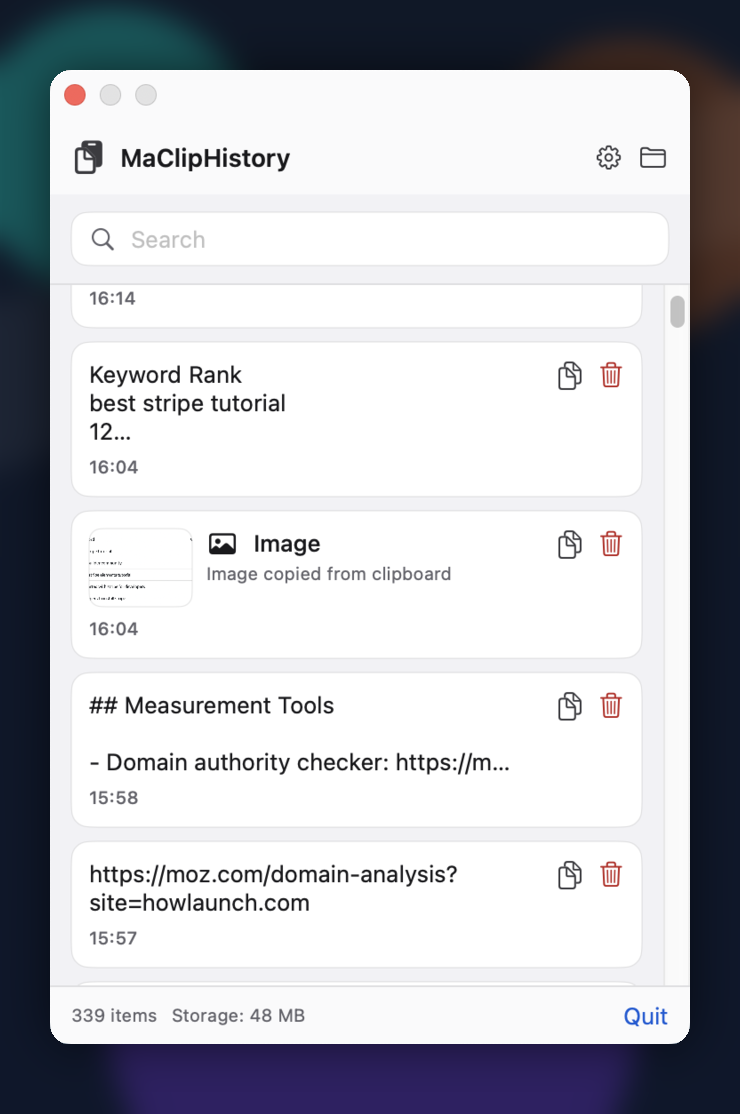
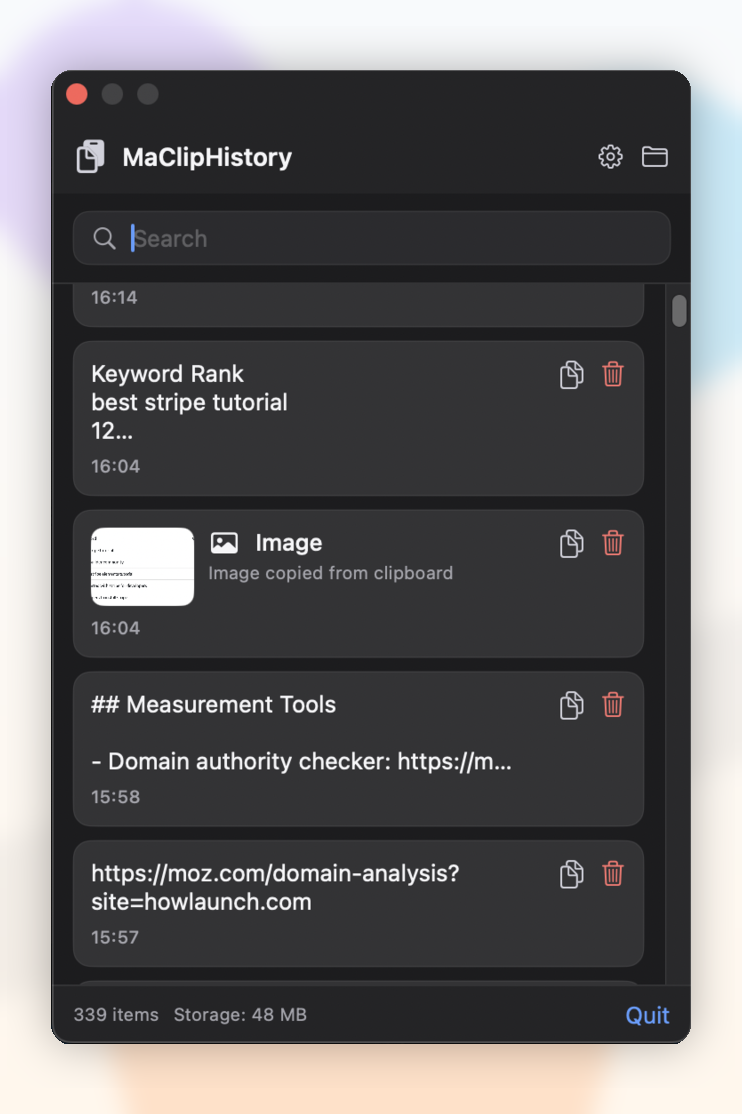
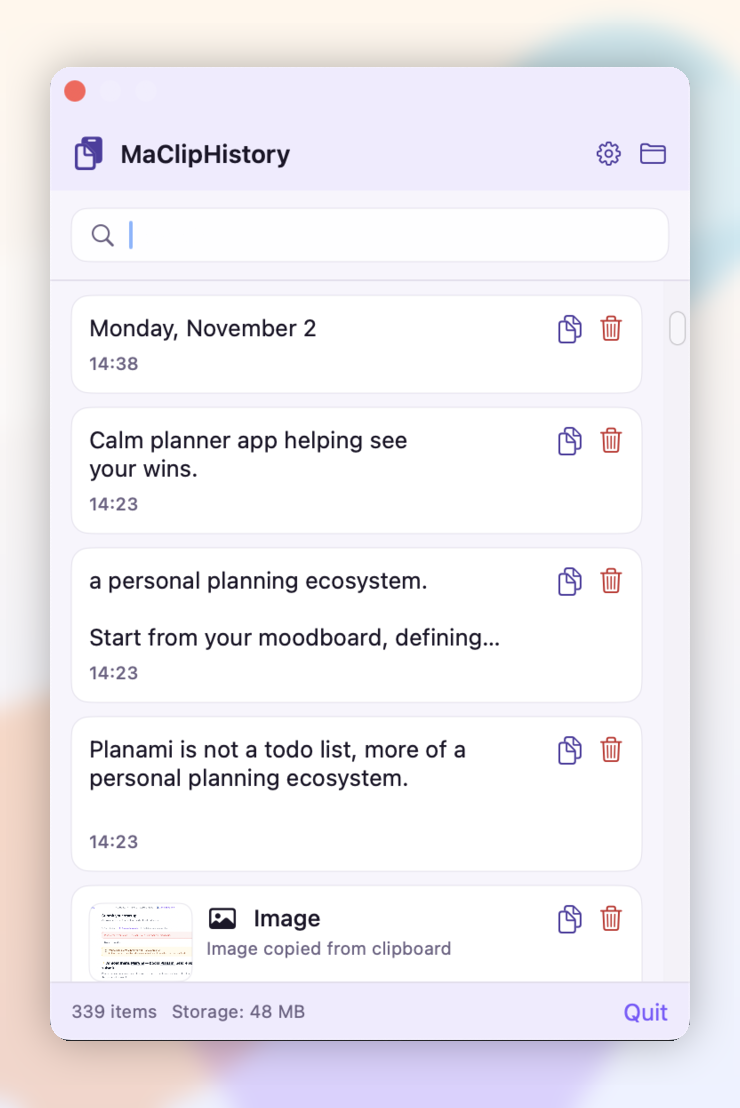
Mac clipboard history, without the clutter
If you are looking for clipboard history for Mac, macOS clipboard history, or a simple Mac clipboard history app, MaClipHistory gives you a focused way to find and reuse copied text.
Built for macOS
A dedicated macOS clipboard history tool for people who want quick access to recent copies on Mac.
Local by default
Clipboard items and media sidecars stay on your device. There is no account, cloud sync, or hidden data collection.
Fast clip history
Use a shortcut to reopen clip history, search copied text, and copy previous text, image, GIF, or file items back into your workflow.
How It Works
Simple, fast, and minimalistic
Quick Access
Press ⌘ + Shift + V to instantly open your clipboard history
Fast Search
Find copied text instantly with minimalistic search and filtering
Default Keyboard Shortcut
Everything you need in a clipboard manager
Built as a small native macOS app
Configurable History
Keep the number of saved items under control with native settings for history length.
Lightning Fast
Rebuilt with Swift, SwiftUI, and AppKit for a smaller, lighter menu bar experience.
Fast Search
Filter copied text quickly from the native popover.
Menu Bar Native
Lives in the macOS menu bar and opens with Command + Shift + V, including a centered fallback panel.
Works Across Spaces
Opens over the current macOS Space or full-screen app, so you can swipe between workspaces and keep your clipboard picker close.
Privacy First
Your clipboard data stays on your Mac in Application Support. No cloud sync, no data collection.
Text, Images, GIFs, Files
Capture text plus images, GIFs, and small files with local sidecar storage.
Clipboard history for Mac: quick answers
Short answers for people comparing Mac clipboard history tools.
What is MaClipHistory?
MaClipHistory is a free native clipboard history app for Mac and macOS. It keeps copied text, images, GIFs, and small files available locally so you can reopen, search, and reuse clipboard history.
Does macOS have clipboard history?
macOS includes a basic clipboard for the most recent copied item, but it does not provide a full clipboard history view. MaClipHistory adds Mac clipboard history so previous copies are easier to find.
Is MaClipHistory private?
Yes. MaClipHistory stores clipboard history locally on your Mac and does not use accounts, cloud sync, or data collection.
How do I open clipboard history on Mac?
After installing MaClipHistory, use the keyboard shortcut Command + Shift + V to open or hide your clipboard history.
Hi there!
I'm Maryna, a solo developer building tools that I believe should be available to everybody.
I have been using macOS for several months now and I found this clipboard manager tool to be missing from it. Other options were either outdated, lacking proper instructions, or simply not working anymore. So I decided to build MaClipHistory.
I also believe this small and convenient clipboard history feature should be free.
Please use it to boost your productivity in your daily life or work projects. It respects your privacy and it's made with care.
Also, it is my first macOS app, please be patient with me.
Love, Maryna ✨
Solo developer • Building tools for everyone
Follow me:
Ready to Stop Losing Clipboard History?
Download a free clipboard history Mac app and keep copied text easy to find.
Download Now - It's Free