October 7, 20253 min read
Introducing MaClipHistory: your new clipboard manager
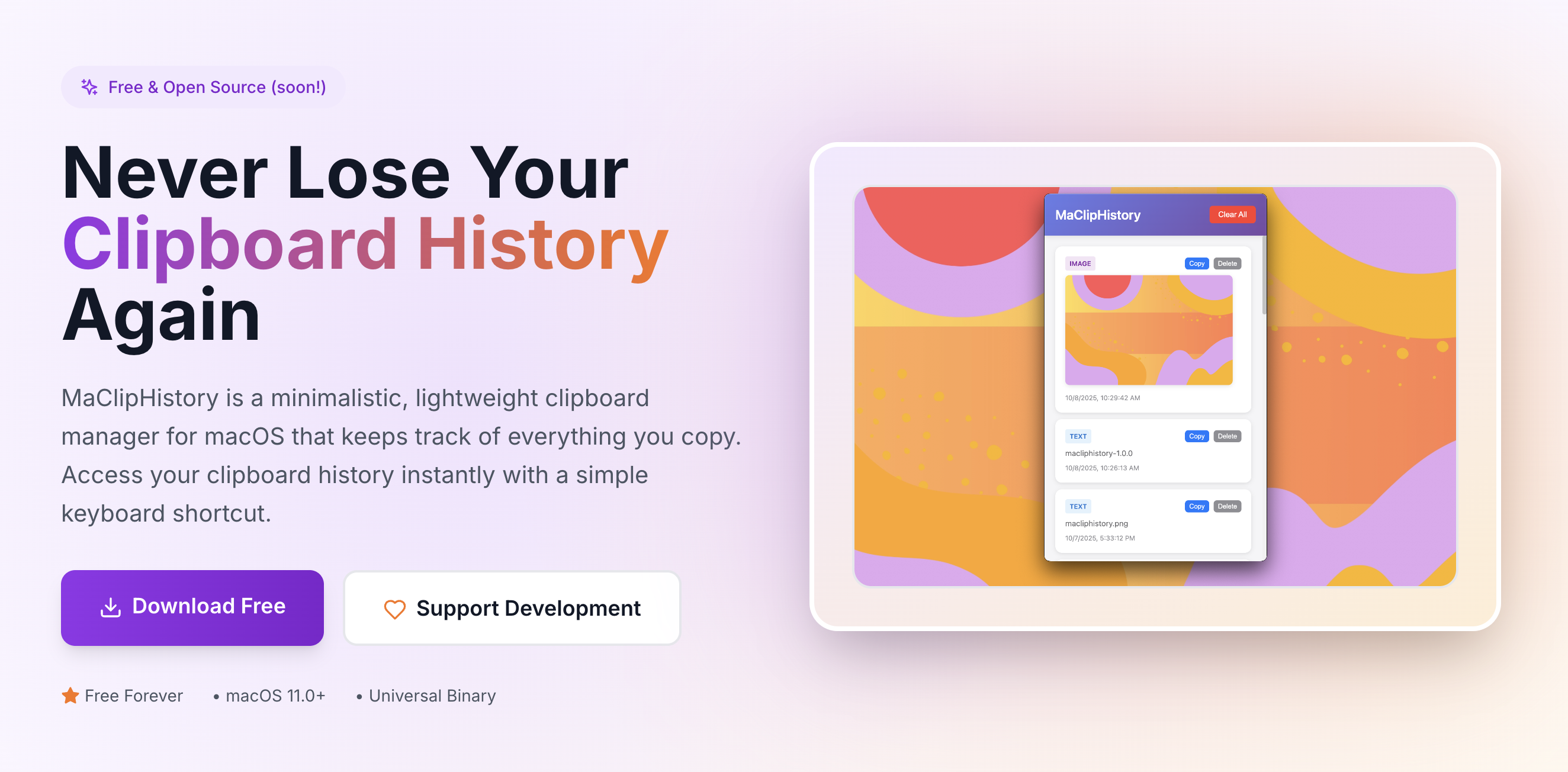
I'm thrilled to introduce MaClipHistory, a minimalistic clipboard manager designed specifically for macOS users who value productivity and privacy and for ex-Windows users who miss this feature available out-of-the-box.
Why I created MaClipHistory
As developer, I found existing clipboard managers either too complicated, raising privacy concerns with cloud sync or just not working. I wanted something simple, fast, and respectful of user privacy.
Key features
- Get your old data in one click: Navigate to MaClipHistory and click on the data you need to copy now: BOOM! it's in your clipboard again.
- Unlimited clipboard history: Never lose important copied content again. MaClipHistory keeps track of everything you copy.
- Clean it whenever you want: You can clear out specific items right away or clean it all. Later it will be also possible to set up retention period to remove older data.
- Privacy first: All your data stays on your Mac. No cloud sync, no data collection, no compromises.
- Works in background: Hidden from Dock panel but always alert, easy to navigate from tray menubar or via shortcut (⌘ Command + Shift + V). Just turn this option on in menu.
- Launch at startup: Don't miss anything: launch at startup! Turned on by default, but may need extra permissions.
- Simple and secure: No cloud sync, no data collection, no compromises.
- Keyboard-driven: Access your clipboard history with a simple keyboard shortcut (⌘ Cmd + Shift + V).
Getting started
Download MaClipHistory, drag it to your Applications folder. Navigate to Applications and launch MaClipHistory. Now you can also press ⌘ + Shift + V to hide or open your clipboard history. You're ready to go!
What's next
Stay tuned for updates, and feel free to share your feedback!
Try MaClipHistory Today
Experience the power of a truly private clipboard manager
Download Now - It's Free