October 9, 20252 min read
How to setup MaClipHistory to run in background
Here I am gonna show you how to turn on and off background mode in MaClipHistory
Why background mode?
As a busy user you may prefer to have clipboard manager always available but not taking space in Dock. Background mode allows you to keep MaClipHistory running discreetly while still being easily accessible and tracking your clipboard history.
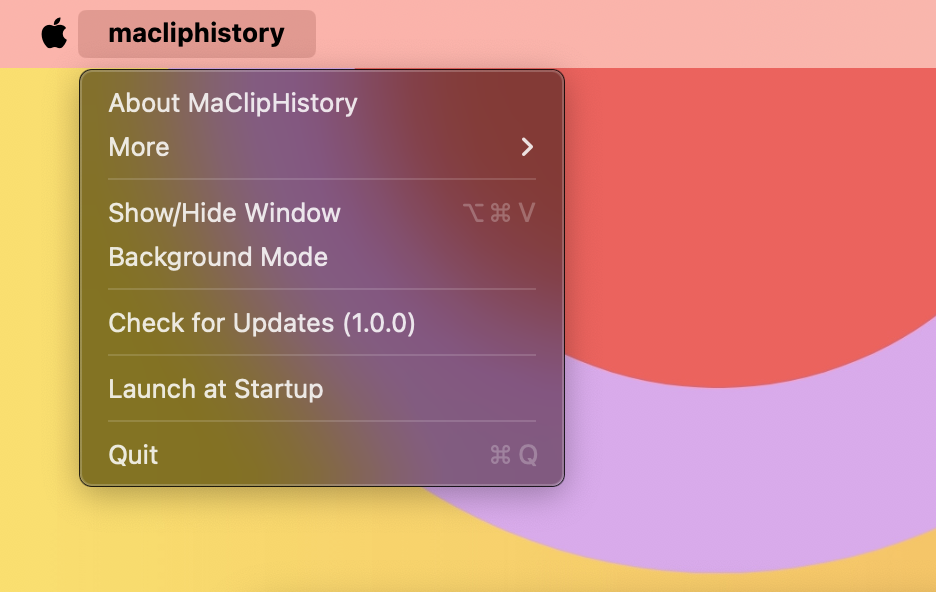
Navigate to MaClipHistory menu
On the top near Apple logo press macliphistory and check Background Mode option. The app will be hidden from Dock.
How to get MaclipHistory back
When it's in background mode, you still can reach it easily with ⌘ Command + Shift + V or navigate to tray menu icon:
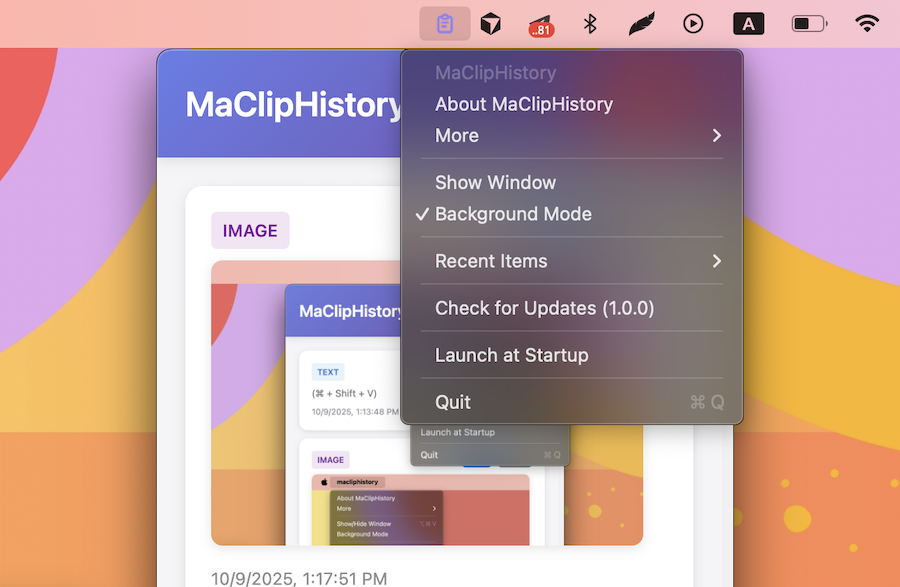
You will see the app and the context menu. From it you can turn background mode off too if you want. Happy using!
Try MaClipHistory Today
Experience the power of a truly private clipboard manager
Download Now - It's Free